
Oracle NetSuite Errors
Let’s dive into see the types of NetSuite Errors.
How to fix Oracle NetSuite Errors?
QuickFix Bookkeeping has created DIY resources to help you with NetSuite errors.
Our expert team can also swiftly resolve these errors, too.
We are just a phone call away.
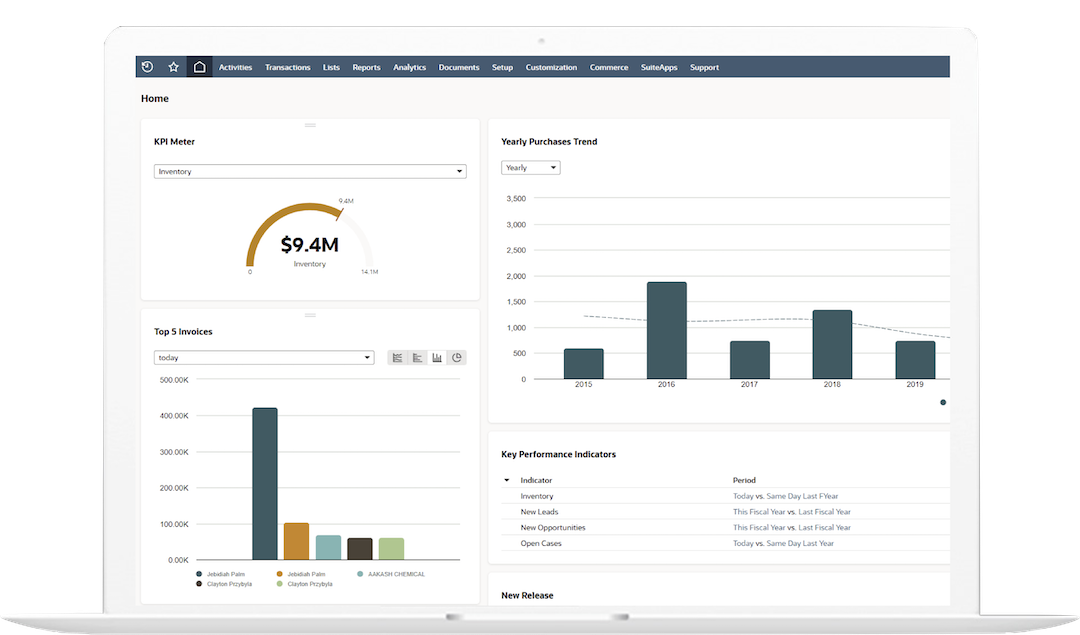
* All trademarks and logos are the property of their respective owners. These are used for visual reference only.
NetSuite Errors
NetSuite errors vary significantly in type, from simple data validation issues to complex customization and integration failures. The complexity level and resolution are highly dependent on the specific error code.
Here is a table covering some common NetSuite error categories, example codes, a general complexity level, and their typical resolution strategy.
Understanding Complexity Levels
-
Low: Typically solved by a regular NetSuite user or an administrator with basic data entry, field, or preferences changes.
-
Medium: Requires a NetSuite Administrator or a key user with elevated permissions to resolve security, role, or period-specific configuration issues.
-
High: Usually involves developers, integration specialists, or experienced consultants, as the fix requires complex debugging of custom code (SuiteScript), external integration logic, or core system settings.
NetSuite Error Codes, Complexity, and Resolution
Error Code – ACCT_NUM_REQD
Error Description / Category
Data/Field Validation
A required field (like an Account Number or Name) is missing or null on the record.
Complexity
Low
Resolution / Action
Input Correction: Manually enter or update the required data field on the record or in the import file.
Error Code – BALANCE_EXCEEDS_CREDIT_LIMIT
Error Description / Category
Data/Field Validation
A transaction would cause a customer’s balance to exceed their set credit limit.
Complexity
Low
Resolution / Action
Business Process: Review the customer’s credit limit or their current balance and adjust the limit, or put the transaction on hold.
Error Code – PERMISSION_VIOLATION
Error Description / Category
Permission/Access
The user’s role lacks the necessary permissions to perform the action (e.g., create, edit, or view a specific record/transaction type).
Complexity
Medium
Common Resolution Steps
Role Update: A NetSuite Administrator must edit the user’s role to grant the missing permission (e.g., adding the appropriate permission level for the record type).
Error Code – ADDITIONAL_AUTHENTICATION_REQUIRED_2FA
Error Description / Category
Permission/Access
The user is attempting to access a page or service without satisfying Two-Factor Authentication (2FA) requirements.
Complexity
Low
Common Resolution Steps
Authentication: Complete the 2FA process (enter code or security question) or, if using a service, ensure the token/credentials are configured correctly for 2FA.
Error Code – INVALID_ITEM_REFERENCE_KEY
Error Description / Category
Integration/API
An internal ID or external key for a linked record (like an Item, Customer, or Subsidiary) in the integration request is incorrect, inactive, or missing.
Complexity
Medium
Common Resolution Steps
Data Mapping/System Check: Verify the ID being used in the integrated system against the correct NetSuite internal ID. Ensure the referenced record is active and applicable to the subsidiary.
Error Code – INVALID_LOGIN_ATTEMPT (SuiteTalk/RESTlet)
Error Description / Category
Integration/API
Issue with the authentication header (e.g., invalid OAuth nonce, consumer key, token, or signature).
Complexity
Medium to High
Common Resolution Steps
Integration Setup: Review and regenerate the required authentication tokens or credentials; ensure the request headers are formatted correctly for the API type being used.
Error Code – YOU_CANNOT_MAKE_CHANGES_TO_THIS_PERIOD
Error Description / Category
Accounting/Period
An attempt was made to post a transaction to a closed or locked accounting period.
Complexity
Medium
Common Resolution Steps
Period Management: If permissible, temporarily unlock the period using the “Allow Non-G/L Changes” permission, or change the transaction date to an open period.
Error Code – SSS_MISSING_REQ_FIELDS
Error Description / Category
Customization/Script
A mandatory field validation fails due to a custom script (SuiteScript) running on the record.
Complexity
Medium
Common Resolution Steps
Script Debugging: Review the relevant user event, client, or workflow script logic and its deployment to find which field is being incorrectly set as required or is missing a value.
Error Code – UNEXPECTED_ERROR (Generic Script Error)
Error Description / Category
Customization/Script
A general error occurred during the execution of a custom script or workflow. Often includes an Error ID for tracking.
Complexity
High
Common Resolution Steps
Detailed Script Debugging: Review the Script Deployment/Execution Logs using the provided Error ID to find the exact line of code and context where the script failed.
The QuickFix Solution: Secure & Stress-Free Migration
-
At QuickFix Bookkeeping, we take the worry out of migration. We handle the entire process, from initial data assessment to final setup and training.
-
Our expert team ensures a flawless transfer of your financial data, including historical transactions, customer lists, vendor information, and more.
Whether you prefer the power of a locally installed system or the flexibility of cloud-based access, we are experts in both. We’ll help you decide which one is the perfect fit for your business needs.
Why Trust QuickFix Bookkeeping With Your Financial Data?
- Expertise: Our team consists of Certified NetSuite Specialists with years of experience in data migration.
- Security: We use industry-leading security protocols to ensure your sensitive financial data is protected throughout the entire process.
- Personalized Service: We don’t believe in one-size-fits-all solutions. We take the time to understand your unique business needs and recommend the best path forward.
- Peace of Mind: With our meticulous process and ongoing support, you can be confident that your transition will be accurate and hassle-free.
Frequently Asked Questions
Q1. What is the biggest difference between NetSuite and QuickBooks for a growing business?
A: The biggest difference is scalability and integration. While QuickBooks is a great entry-level tool, NetSuite is a true Enterprise Resource Planning (ERP) system. It combines accounting (ERP), Customer Relationship Management (CRM), and e-commerce into a single database. This means all your data is instantly connected, providing real-time financial reporting, unlike QuickBooks which often requires manual consolidation or limited third-party add-ons as you grow.
Q2. How does NetSuite handle multi-entity and international accounting?
A: NetSuite uses its OneWorld module to manage multiple subsidiaries, currencies, and tax jurisdictions from a single NetSuite instance. This dramatically simplifies financial consolidation, intercompany transactions, and compliance with global accounting standards (like GAAP/IFRS), which is extremely difficult to manage in non-ERP systems.
Q3: What does "real-time visibility" actually mean in NetSuite?
A: It means that when an action happens in any part of the business (e.g., a Sales Order is placed, inventory is shipped, or a bill is paid), your financial reports, Key Performance Indicators (KPIs), and dashboards update instantly. You don’t have to wait for overnight batch processing or period-end closing to see an accurate P&L or cash flow statement.
Q4: Can you help us configure our Chart of Accounts (COA) in NetSuite?
A: Absolutely. The COA is the foundation of NetSuite accounting. We work with you to design a COA that leverages NetSuite’s segmenting features (like Departments, Classes, and Locations) to give you deep, dimension-based financial analysis, rather than relying on an excessively long, flat list of accounts.
Q5: We keep getting "Permission Violation" errors. What is the quickest fix?
A: This means the user’s role is missing a required permission to view, edit, or create that specific record or transaction.
-
QuickFix: The simplest solution is for a NetSuite Administrator to go to the Role Permissions page and grant the required permission (e.g., adding “Transactions – Enter Sales Orders” or “Lists – Customers”).
-
Best Practice: We help you conduct a Role Audit to ensure roles are consistently defined based on job function, preventing future permission-related issues.
Q6: What do we do about errors during mass data import (CSV)?
A:
Most CSV import errors are caused by poor data formatting or missing mandatory fields.
-
Initial Fix: Check the error log provided by the Import Assistant. Common errors include:
-
ACCT_NUM_REQD: A required account field is empty. -
INVALID_KEY_OR_REF: An ID for a linked record (Customer, Vendor, Item) is incorrect or inactive.
-
-
QuickFix Bookkeeping Solution: We use advanced Saved Searches and data governance tools to quickly identify and cleanse the source data in your CSV files before you attempt the re-import, ensuring the data structure perfectly matches NetSuite’s requirements.
Q7: We are seeing vague "Unexpected Error" messages, often related to a script. Can QuickFix Bookkeeping help with custom scripts?
A: Yes. An “Unexpected Error” or a generic SSS_ERROR usually points to a bug in custom SuiteScript, a Workflow (SuiteFlow), or a third-party integration.
-
Resolution: We access the Script Execution Logs using the unique error ID to pinpoint the exact line of code that failed, and then fix the underlying script logic to restore the process. We also review governance limits to ensure scripts aren’t timing out due to heavy resource usage.
Q8: We're migrating from QuickBooks/other ERP. What is the riskiest part of the process?
A: The riskiest part is always Data Migration and Reconciliation. If the historical financial data (like open A/R, A/P, Inventory Balances, and Trial Balance) is not mapped, cleansed, and imported correctly, your financial statements in NetSuite will be inaccurate from day one.
Q9: What essential data must be migrated to NetSuite?
A: At a minimum, you must migrate:
-
Master Data: Customers, Vendors, Items, Employees, and your Chart of Accounts.
-
Open Balances: The Trial Balance as of your go-live date, including all outstanding Accounts Receivable (A/R) and Accounts Payable (A/P) details (invoices/bills).
Q10: How does QuickFix Bookkeeping ensure the migrated data is accurate?
A: We follow a strict three-step validation process:
1. Cleansing: We use data quality tools to remove duplicates, standardize formats, and fill in missing mandatory fields in the source files.
2. Mapping: We create a detailed mapping document linking every field from your old system to the correct NetSuite field.
3. Reconciliation: We perform a pre-go-live reconciliation where we compare the imported NetSuite Trial Balance (and subsidiary ledgers) line-by-line against your final source system reports to guarantee financial alignment.
Would you like to schedule a free consultation with our certified NetSuite consultants to discuss your specific migration or troubleshooting needs?
Ready to Upgrade Your Bookkeeping?
Stop wasting time on outdated systems.
Let QuickFix Bookkeeping handle your migration so you can get back to growing your business.