
XERO Errors
Let’s Dive in to see types of XERO Errors.
How to fix Xero Errors?
QuickFix Bookkeeping has crafted some DIY resources to help you with Xero errors.
Our expert team can swiftly resolve these errors, too.
We are just a phone call away.
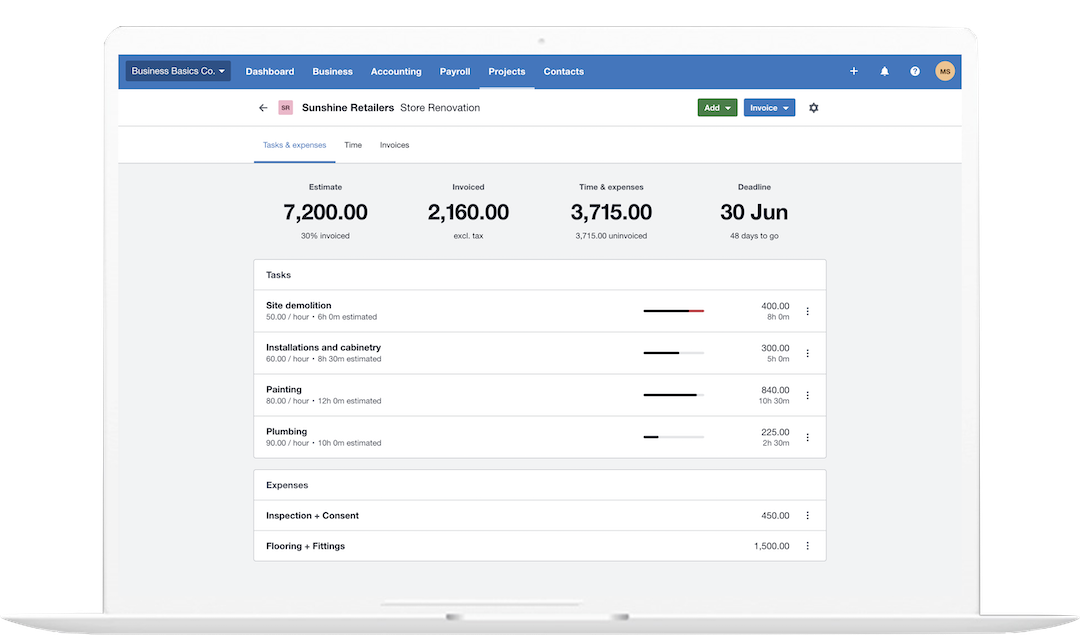
* All trademarks and logos are the property of their respective owners. Images for visual reference only.
Xero Errors
The complexity of Xero API errors generally corresponds to the HTTP Status Code returned. Errors fall into three main categories: client-side issues (4xx), rate-limiting issues (429), and server-side issues (5xx).
Understanding Complexity Levels
-
Low Complexity (e.g., 400, 404): Errors are typically easy to diagnose and resolve by checking the request payload (400) or resource identifier (404). The resolution is self-contained within the developer’s application logic or data integrity checks.
-
Medium Complexity (e.g., 401, 403, 429): These involve authentication, authorization, or usage limits. Resolution requires handling external factors like token expiration/renewal (401), user permissions (403), or implementing robust retry and traffic management strategies (429).
-
High Complexity (e.g., 500, 503): These are server-side issues outside the developer’s direct control. The primary resolution is to retry. If persistent, they require escalation to the Xero platform team with specific diagnostic information.
Below is a table summarizing key Xero API error codes, their complexity level, and general resolution strategies.
Xero API Error Codes, Complexity, and Resolution
Error Code – 400
Error Description / Category
Bad Request / Validation Exception
The request data failed Xero’s internal validation rules (e.g., missing mandatory fields, invalid data format, duplicate entries).
Complexity
Low
Resolution / Action
Examine the error message details (which often list the field and specific failure) and correct the data in the request payload.
Error Code – 401
Error Description / Category
Unauthorized
Invalid or expired authorization credentials (Access Token). The application isn’t connected to Xero or the token is stale/revoked.
Complexity
Medium
Resolution / Action
Re-authenticate or refresh the access token. If using OAuth 2.0, use the Refresh Token to get a new Access Token.
Error Code – 403
Error Description / Category
Forbidden / Not Permitted
The connected user/app does not have the necessary permissions to access or modify the specific resource.
Complexity
Medium
Common Resolution Steps
Check the user’s role and permissions in the Xero organisation. Ensure the API connection’s scopes are correct for the requested operation.
Error Code – 404
Error Description / Category
Not Found
The resource (e.g., Invoice, Contact) specified by an ID in the request path could not be found in the Xero organisation.
Complexity
Low
Common Resolution Steps
Verify the resource ID (GUID) is correct, exists, and belongs to the connected organisation.
Error Code – 429
Error Description / Category
Rate Limit Exceeded
The application has exceeded the allowed number of API calls per minute or per day for the connected organisation.
Complexity
Medium
Common Resolution Steps
Implement an Exponential Backoff retry strategy. Reduce call frequency and consider batching multiple operations into single API calls where possible.
Error Code – 500
Error Description / Category
Internal Error
An unexpected, unhandled error occurred within the Xero API itself (server-side).
Complexity
High
Common Resolution Steps
Retry the request after a short delay (e.g., with exponential backoff). If the problem persists, contact Xero API support and provide the X-Correlation-Id from the response header.
Error Code – 503
Error Description / Category
Service Unavailable / Organisation Offline
The Xero API is temporarily unavailable (e.g., for scheduled maintenance) or the specific Xero organisation is offline.
Complexity
High
Common Resolution Steps
Wait and retry after a few minutes, as this is typically a short-term outage. Implement retry logic to manage temporary unavailability.
The QuickFix Solution: Secure & Stress-Free Migration
-
At QuickFix Bookkeeping, we take the worry out of migration. We handle the entire process, from initial data assessment to final setup and training.
-
Our expert team ensures a flawless transfer of your financial data, including historical transactions, customer lists, vendor information, and more.
Whether you prefer the power of a locally installed system or the flexibility of cloud-based access, we are experts in both. We’ll help you decide which one is the perfect fit for your business needs.
Why Trust QuickFix Bookkeeping With Your Financial Data?
- Expertise: Our team consists of Certified Xero Specialists with years of experience in data migration.
- Security: We use industry-leading security protocols to ensure your sensitive financial data is protected throughout the entire process.
- Personalized Service: We don’t believe in one-size-fits-all solutions. We take the time to understand your unique business needs and recommend the best path forward.
- Peace of Mind: With our meticulous process and ongoing support, you can be confident that your transition will be accurate and hassle-free.
Frequently Asked Questions
Q1. What does "Xero migration" involve?
A: Xero migration is the process of safely and accurately moving your financial records and operational data either to Xero from another accounting platform (like MYOB, QuickBooks, or Sage) or, less commonly, from Xero to a different system if your business needs have changed. It ensures all your historical data, contacts, and balances are correctly transferred and ready for use in the new environment.
Q2. Why migrate to Xero?
A: Moving to Xero offers substantial benefits for modern businesses! Key reasons include gaining real-time financial clarity through a simple dashboard, benefiting from automated bank feeds and reconciliation, enjoying the flexibility of anytime, anywhere access as a true cloud platform, simplifying invoicing and payments, and connecting to an ecosystem of powerful third-party integrations that streamline your entire operation.
Q3: What data can be migrated to Xero?
A: We typically migrate all core financial components, including your Chart of Accounts, Customer and Supplier (Vendor) details, Opening Balances (the conversion trial balance), unpaid invoices and bills, and a defined amount of historical transaction data (often the current and previous financial year). Inventory items and fixed assets can also be included, depending on the complexity of your file.
Q4: What data can be migrated from Xero?
A: When moving from Xero, the data extracted usually consists of your Chart of Accounts, contact lists, full transaction history, and key financial reports. Since Xero is cloud-based, data export is robust, allowing us to capture all necessary financial information to set up the new system accurately.
Q5: Is payroll data migration possible?
A: Payroll data migration is the most complex part of any transfer due to specific tax, compliance, and detailed employee history requirements. While core employee details can usually be transferred, full historical pay runs and precise leave accrual data often need to be summarized and then manually set up in the new system. We create a detailed plan to handle your payroll data safely and compliantly.
Q6: How long does it take?
A: The duration depends on your data volume and complexity. For a standard migration (current and previous financial year data), the process typically takes between 2 to 5 business days. For larger businesses, multi-entity setups, or those requiring more historical data, the migration could take up to 1 to 3 weeks. We provide a clear, binding timeline upfront.
Q7: Will there be downtime?
A: We work hard to minimize downtime. We strategically schedule the critical data transfer window, often over a weekend or during off-peak hours. You may need to pause data entry in your old system for a brief, defined period, but our planning ensures your core business operations can quickly resume in the new system.
Q8: How is data accuracy ensured?
A: We guarantee data accuracy through a rigorous multi-stage validation process. This includes an audit of your source data before we start, followed by meticulous reconciliation after the transfer. We compare key reports, such as the Trial Balance and Accounts Receivable/Payable Aging reports, in both systems to ensure every dollar matches perfectly before we finalize the project.
Q9: Post-migration setup and training.
A: Our support is comprehensive. Once your data is live in the new system, we help with the final configuration (connecting bank feeds, setting up tax rates, etc.). Crucially, we provide tailored training sessions for your team to ensure they are confident, efficient, and immediately able to leverage the full benefits of Xero or your new accounting software.
Q10: Assistance with other software not listed.
A: Absolutely! We at QuickFix Bookkeeping, we frequently handle migrations from popular platforms like MYOB, QuickBooks, and Sage, our data experts are proficient in migrating data from a wide variety of accounting solutions. Just contact us for a free, no-obligation assessment, and we’ll create a tailored plan to move your data successfully, regardless of the source software.
Ready to Upgrade Your Bookkeeping?
Stop wasting time on outdated systems.
Let QuickFix Bookkeeping handle your migration so you can get back to growing your business.